CaddieStroke › Offline
Offline golf GPS app: works with no signal
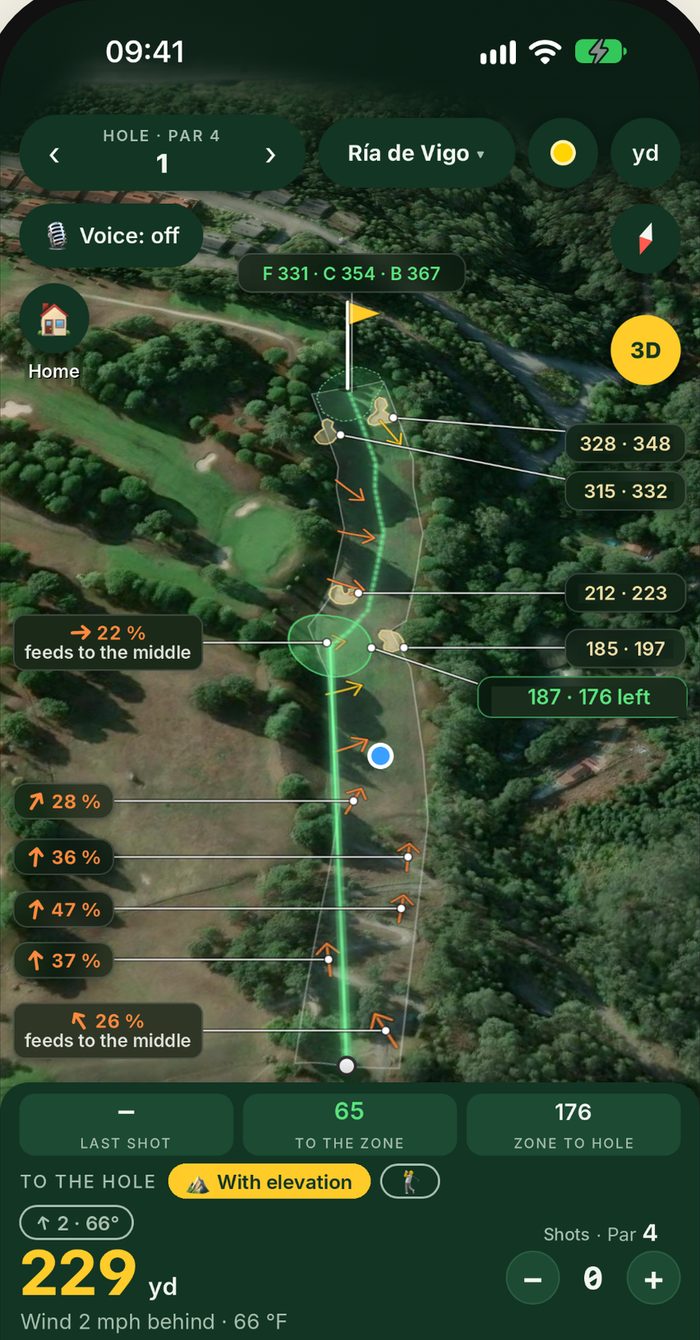
On plenty of golf courses your phone loses signal right when you need it: in a valley, by the sea or far from the clubhouse. Many golf apps stop working properly or take forever to load.
CaddieStroke works offline. Your iPhone's GPS doesn't need the internet, so you still see how far it is to the green on every hole. And at the range you can film and analyse your swing just the same, because everything happens on your iPhone.
Try it free for 7 days
iPhone only.
What works with no signal
| Offline | |
|---|---|
| GPS distance to the green | Yes |
| Logging shots and viewing your round | Yes |
| Filming your swing in slow motion | Yes |
| Shot analysis and ball flight | Yes |
| Live wind and temperature | Updated when you're back in signal |
Why it doesn't need the internet
- GPS works via satellites, not your mobile network. Your iPhone knows where you are even without data.
- No accounts, no cloud. Your rounds and videos are stored on your iPhone, so nothing has to be uploaded for the app to work.
- Swing analysis runs on the phone itself. Your videos never leave your iPhone.
Bonus: save battery and data. If your course has poor signal, you can put your iPhone in airplane mode with Location Services on and keep playing with GPS.
Where it makes a difference
On hilly, coastal or rural courses, and when you play abroad and don't want to pay for roaming data. Find your course in our list of golf courses with GPS. Tip: before you head out, open your course in the app while you have signal, for example at home.
Try it free for 7 days
iPhone only.
Frequently asked questions
Is there a golf GPS app that works offline?
Yes. CaddieStroke works without a connection: GPS, swing recording and analysis all run on your iPhone. With signal it also updates wind and temperature.
Does phone GPS work without data?
Yes. Your iPhone's GPS receives satellite signals and doesn't need mobile data to know where you are.
Can I use it in airplane mode?
Yes, as long as Location Services stay on. Wind and temperature won't update without a connection.
Do I need an account?
No. Your subscription is linked to your Apple ID and your data stays on your iPhone.
Is there an Android version?
Not yet. CaddieStroke is iPhone only.