Blog › Rules · 15 November 2026 · 5 min read
Can you use a rangefinder in competition? Rule 4.3 explained
Laser, GPS watch, phone app… more and more golfers play with a distance-measuring device. But when a tournament comes round the questions start: can I use it? What if it measures slope? What about my phone?
GPS with a competition mode, so you can use it in tournaments too.
CaddieStroke · 7 days free · iPhone only
Try it freeThe short answer: yes, in general you can measure distance, but some things aren't allowed. Here it is without the small print.
- What is allowed
- What isn't allowed
- Watch out for local rules
- What about your phone?
- What happens if you get it wrong
1. What is allowed
Since 2019, the Rules of Golf let you use devices to get distance and direction information. You can:
- Find out the distance to the flag, the green, a bunker or any point.
- See where you are on the hole map.
- Check general weather information, such as the forecast.
It doesn't matter whether it's a laser, a watch or an app: what matters is the information it gives you, not the device.
2. What isn't allowed
Rule 4.3 bans using information that helps you play beyond distance. In competition you can't:
- Measure elevation changes between your ball and the target.
- Use an "adjusted" distance that accounts for slope, wind or other conditions.
- Get recommendations on which club to use or how to play the shot.
- Measure wind speed on the course with a device.
What if your device has those features? You can carry it, as long as they're switched off and you don't use them during the round.
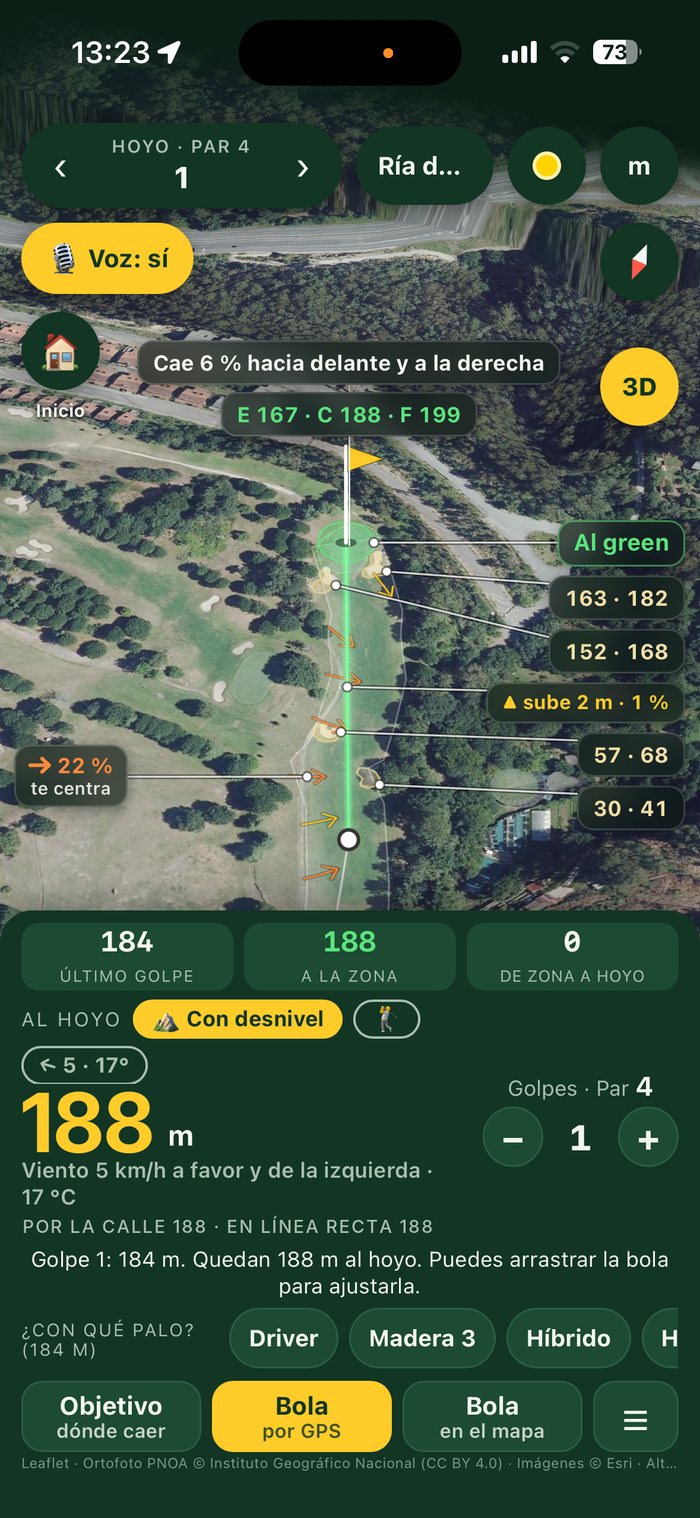
CaddieStroke has a competition mode. One tap hides slope, plays-like distance and the suggested club, and leaves you the real GPS distance to the green. For practice and casual rounds, switch everything back on.
Try CaddieStroke free
7-day free trial. iPhone only.
3. Watch out for local rules
A tournament committee can ban distance-measuring devices with a local rule. It sometimes happens in elite events. Before you tee off:
- Read the terms of the competition or the course's local rules.
- If it isn't clear, ask in the pro shop or the committee.
If you're playing a competition, work out your course handicap for that course with our free handicap calculator.
4. What about your phone?
You can use your phone as a distance device with an app, under the same conditions: distance and direction only, no slope or recommendations. What you can't do is use it to get advice during the round, for example from someone texting you how to play a hole.
A practical tip: switch on competition mode before you reach the 1st tee, so you don't have to remember halfway round.
5. What happens if you get it wrong
| Situation | Penalty |
|---|---|
| First time you use a feature that isn't allowed | General penalty: 2 strokes in stroke play, or loss of hole in match play |
| Second time | Disqualification |
So it's best to set things up before you start.
In short
In competition you can measure distance with a laser, a watch or an app. You can't use slope, an adjusted distance or club recommendations, unless a local rule says otherwise. If you use CaddieStroke, switch on competition mode before you start. Try it free for 7 days.
You might also like: handicap calculator · uphill and downhill shots · golf courses with GPS.