CaddieStroke › No sensors
Club sensors, a golf watch or just your iPhone
To get distances on the course and data on your shots there are three ways to go: sensors that screw into your clubs, a golf watch, or an app that only uses your phone. Here is what you need with each one, without naming brands, so you can pick what suits you.
CaddieStroke is one of the apps that work with just your iPhone. You don’t need to buy sensors or a watch, and your videos never leave your phone.
Try it free for 7 days
iPhone only.
The three options side by side
| Just your iPhone (CaddieStroke) | Club sensors | Golf watch | |
|---|---|---|---|
| What you need | Your iPhone. To film your swing, any tripod | A sensor on every club and your phone with you | The watch and, almost always, its app on your phone |
| Account | No. The subscription is tied to your Apple ID | Usually yes | Usually yes, with the maker |
| Where your data is kept | On your iPhone. Your videos never leave your phone | Usually uploaded to the maker’s cloud | Synced to the app and the maker’s cloud |
| How you pay | 7 days free, then monthly or yearly | The sensors and, often, a subscription | The watch and, sometimes, a subscription for extras |
| Slow-motion swing video | Yes, with the ball flight drawn on it | Not what they do | Not what they do |
| Something to charge | Just your iPhone | The sensor batteries | The watch |
When each one makes sense
- Club sensors: if you want every shot logged on its own and don’t mind buying the sensors and keeping them working.
- Golf watch: if you prefer a glance at your wrist and already own a watch or want to buy one.
- Just your iPhone: if you don’t want to buy anything else, you also want to film and understand your swing, and you’d rather your videos stayed on your phone.
What CaddieStroke does with just your iPhone
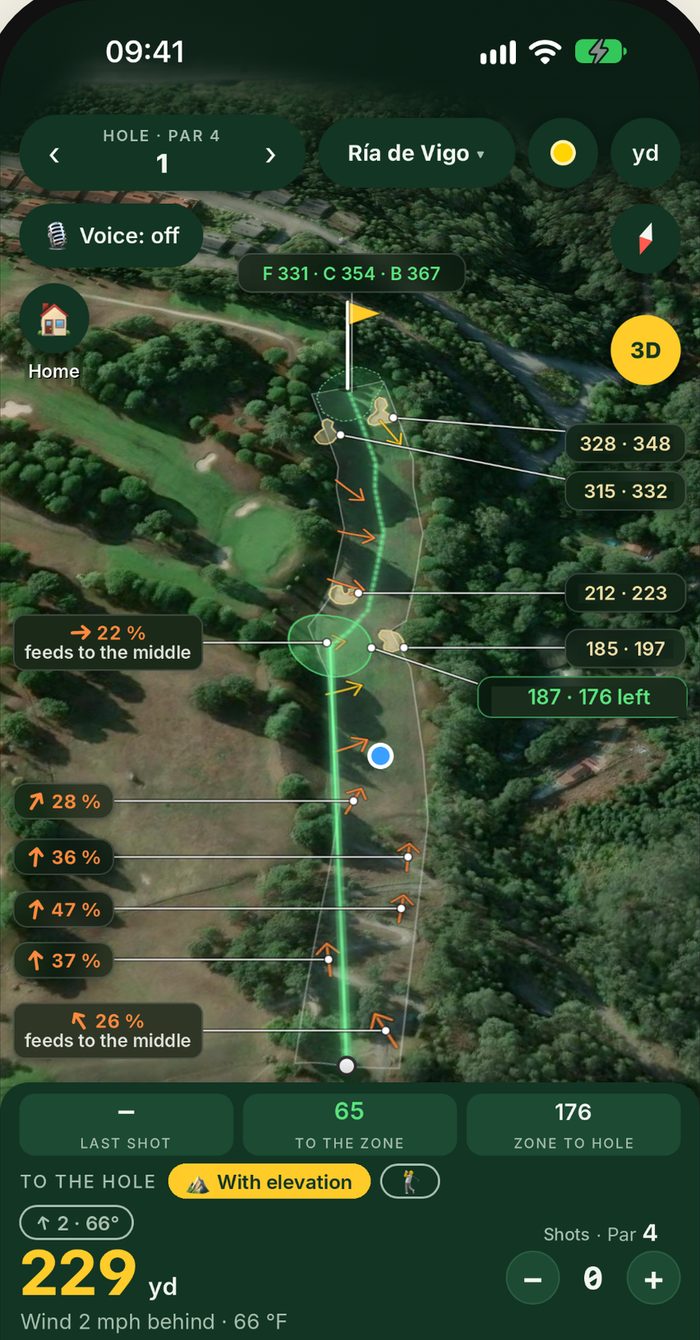
- GPS distance to the green on the map of every hole, even without signal.
- Voice caddie: ask how far you are and it answers out loud, without taking your phone out of your pocket.
- Your swing in slow motion: put your iPhone on a tripod and the app records every shot on its own, without touching the phone.
- Ball flight drawn on the video, to watch and share.
- Competition mode, which hides what the rules don’t allow in tournaments.
Try it free for 7 days
iPhone only. Cancel anytime in your iPhone settings.
Frequently asked questions
Is there a golf app that works without sensors?
Yes. CaddieStroke only uses your iPhone’s GPS and camera: no sensors on your clubs and no other device.
Do I need an Apple Watch?
No. CaddieStroke works with just your iPhone and, with the voice caddie, you can leave it in your pocket. There is no watch app for now.
Where are my videos kept?
On your iPhone. They are recorded and analysed on the phone itself, and you don’t need to create an account.
How much does it cost?
The download is free and you get a 7-day trial of the full app. After that you choose a monthly or yearly plan, with the price shown in the App Store before you subscribe.
Is there an Android version?
Not yet, but it’s coming. If you’d like us to let you know, email soporte@caddiestroke.com.